Coordinate Frame conventions#
PSM ARM FRAMES:#
The base and end-effector frames for PSMs are assigned according to the dVRK Manual found here. You may need to log in to view the document. Regardless, the frames are shown in the figure below:
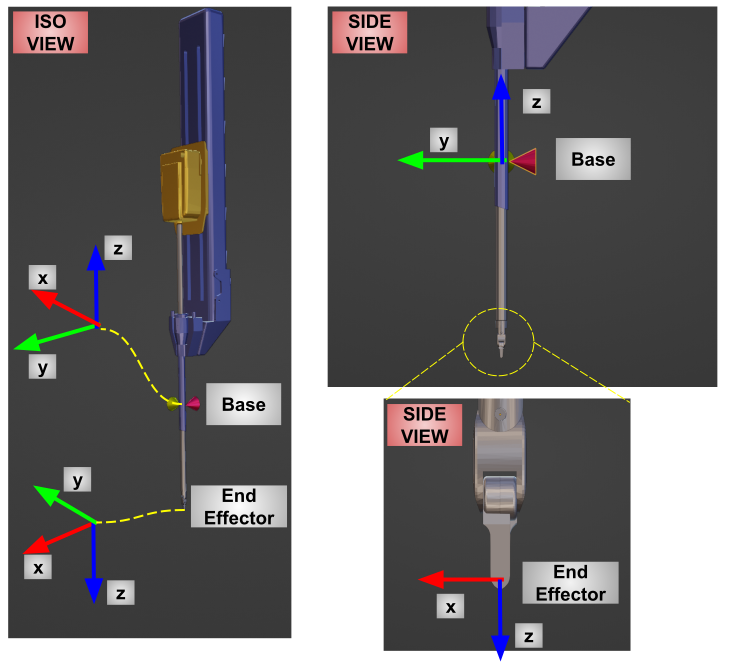
Calling the measured_cp() method in the psm_arm.py file return the Pose of the tip frame in the base frame shown above. To get the pose of the tip in the world frame, the pose of the base in the world (simulation world) frame is required, which can be retrieved using get_T_b_w() method.
KINEMATIC CAMERA FRAME:#
A kinematic frame called "Camera Frame" is placed midway between the two PSMs in the scene as shown in the figure below.
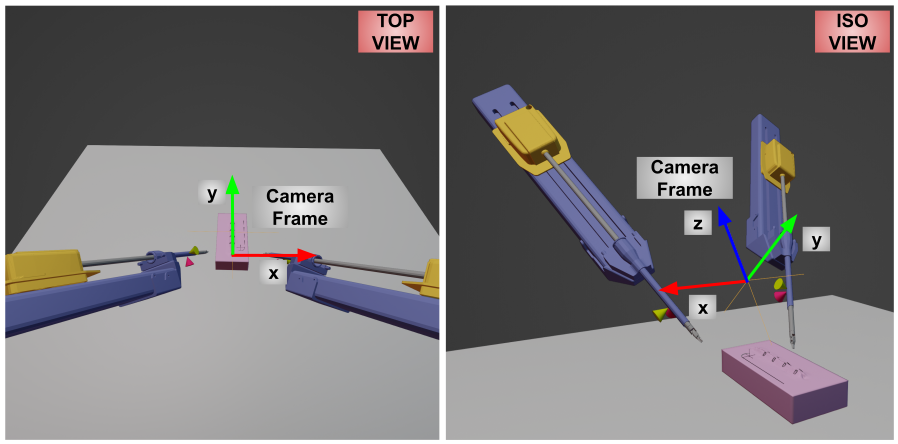
The two actual cameras, namely "cameraL" and "cameraR" are parented to this kinematic "Camera Frame" so that by changing the pose of this single kinematic object, the two cameras can be moved. The camera_conventions.md document explains the frame convention of AMBF cameras.
The script ecm_arm.py wraps this 'Camera Frame' to provide its pose. The method measured_cp() provides the pose of 'CameraFrame' in the world (simulation world) frame.
To mimic the da Vinci ECM, ecm_arm.py provides a joint command interface via a method called servo_jp(). This method accepts a list of 4 joint commands where each command mimics that of the real ECM, i.e. joint 1 controls yaw, joint 2 controls pitch, joint 3 controls insertion, and joint 4 controls the roll.
NEEDLE FRAME#
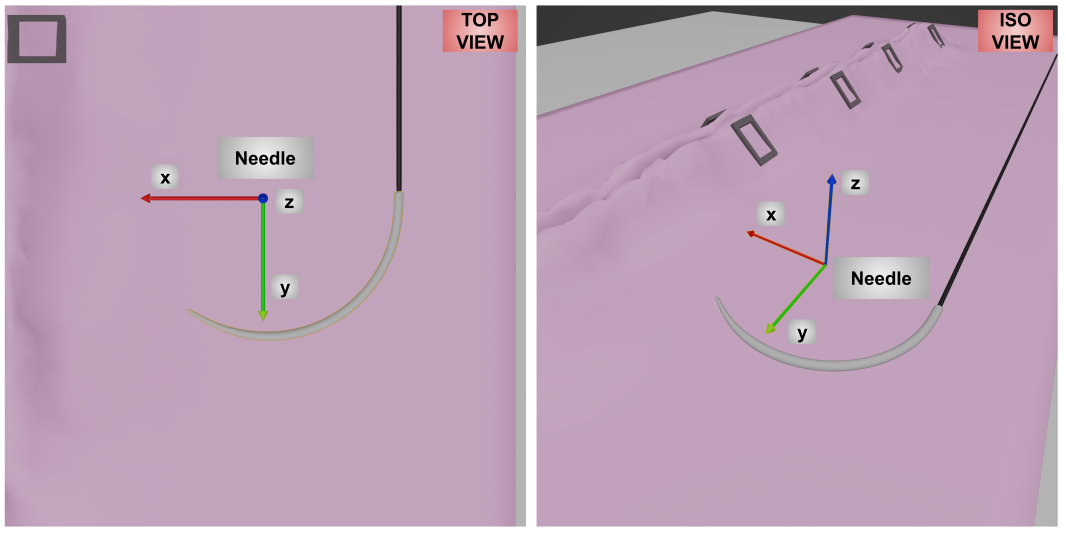
The needle frame is shown in the figure below.
ENTRY / EXIT FRAMES#
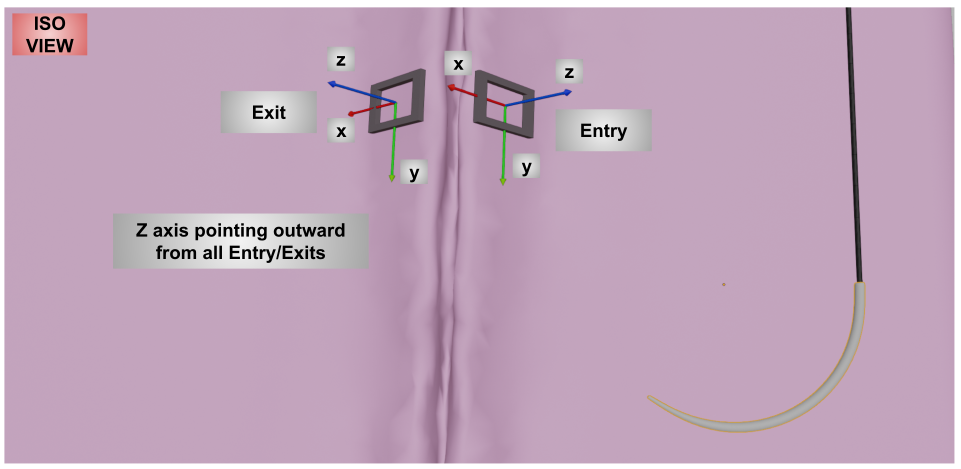
The entry and exit frames are shown in the figure below.
Note:#
All the coordinate frames discussed above and the associated dimensions can be viewed using the blender scene files in this folder.